Getting Started
Product Demo
Watch a video to learn how to use the Dashboard to Presentation app:
Accessing the Dashboard to Presentation Application
The Dashboard to Presentation app currently offers one way to access the app, tailored to suit your workflow. That option is Board View.
Board View
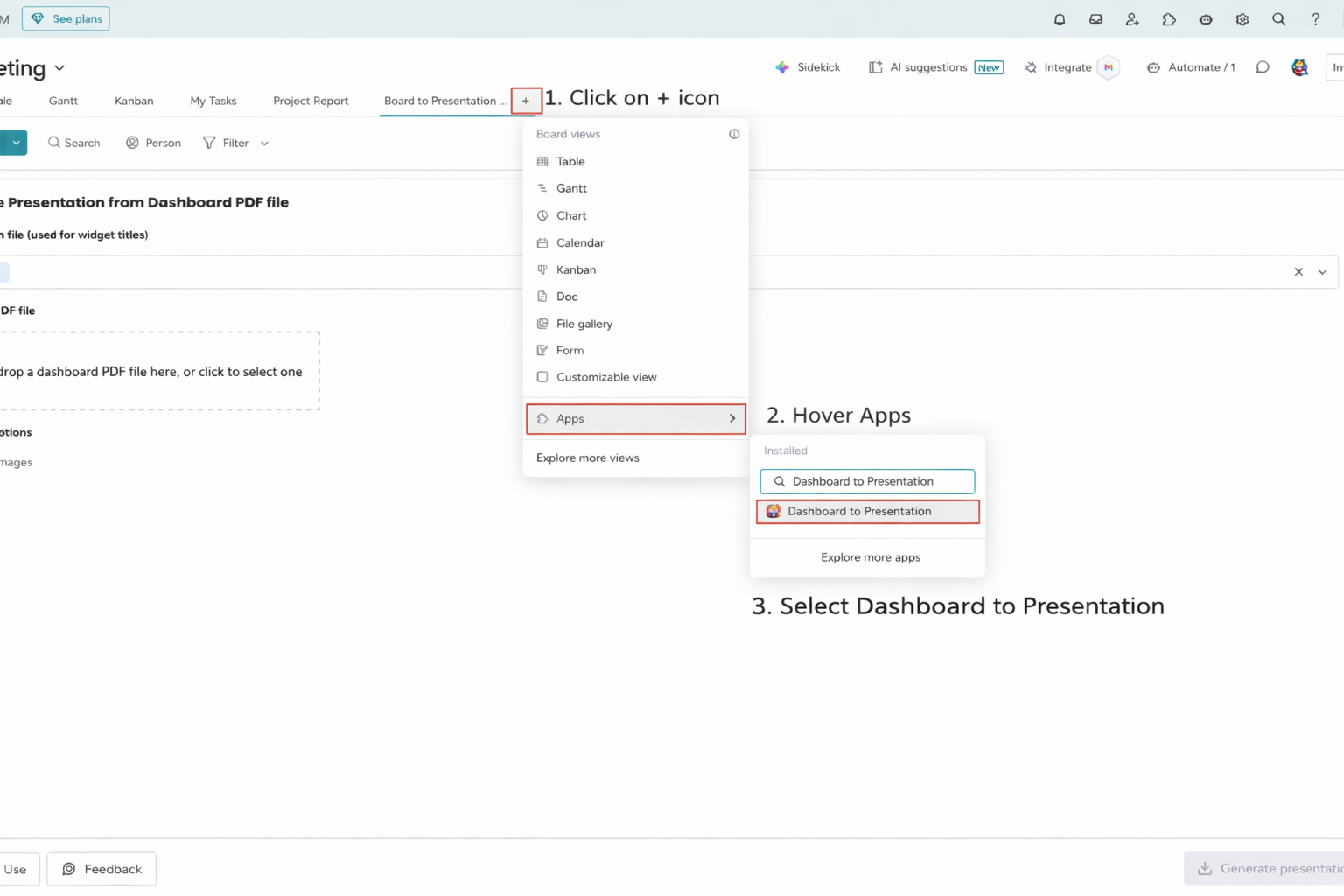
Access the Board View by following these steps:
- Click the + icon on your board.
- Hover over Apps and select Dashboard to Presentation.
Home page
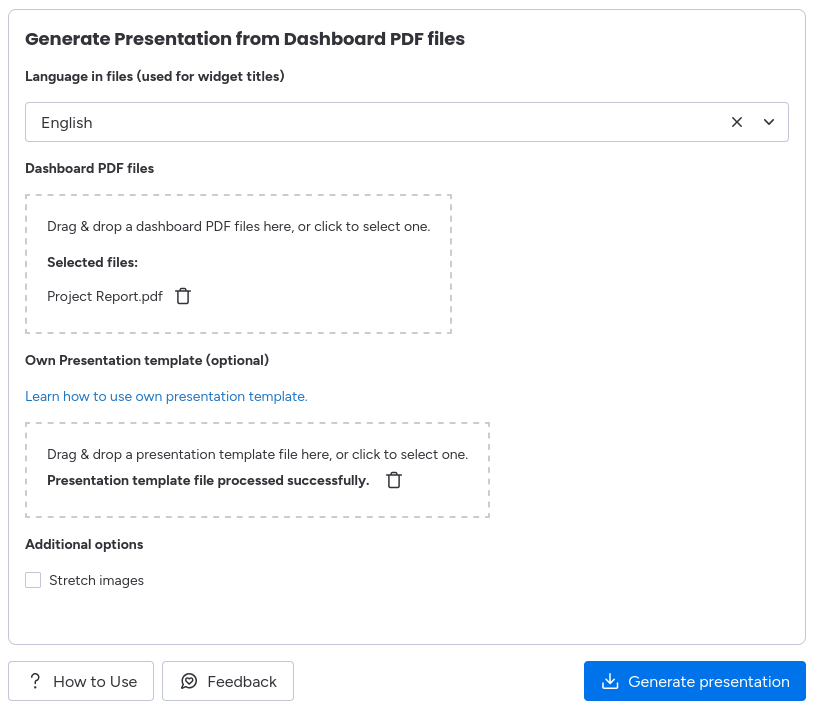
Currently our application only has the Home page which serves as the central hub for transforming your dashboard PDFs into presentations. In this page there are currently 3 options:
- Language in files: Choose language which will be used in dashboard widget titles. So we can analyze this text and use it as slide titles.
- Dashboard PDF files: Here you can drag & drop your dashboard PDFs or you can select PDFs simply by clicking on the box and choosing your files. For more information about how to export dashboard PDF in monday.com, check the dashboard PDF page.
- Own Presentation template: Here you can drag & drop your own PPTX template. The template needs to follow some rules. For more information about these rules, check the own template page.
- Stretch images: By checking this option the widget will be stretch to fully cover selected area for widget.
- Make background transparent: By checking this option background from widgets will became transparent. This feature is useful for presentations with a dark background.
After you set up everything you can generate presentation simply by clicking on Generate presentation button.